Site and Study Setup Process
Last updated: October 19, 2026
Purpose: This document is intended to provide an overview of how administrators set up and maintain studies and sites in the PRM so recruiters can route leads, assign patients correctly, and work from accurate study and site information.
Process
Site and study setup should be completed before large-scale recruiter activity begins. Administrators should confirm that both the study record and the site record are accurate, then connect studies to the correct sites.
Study Setup
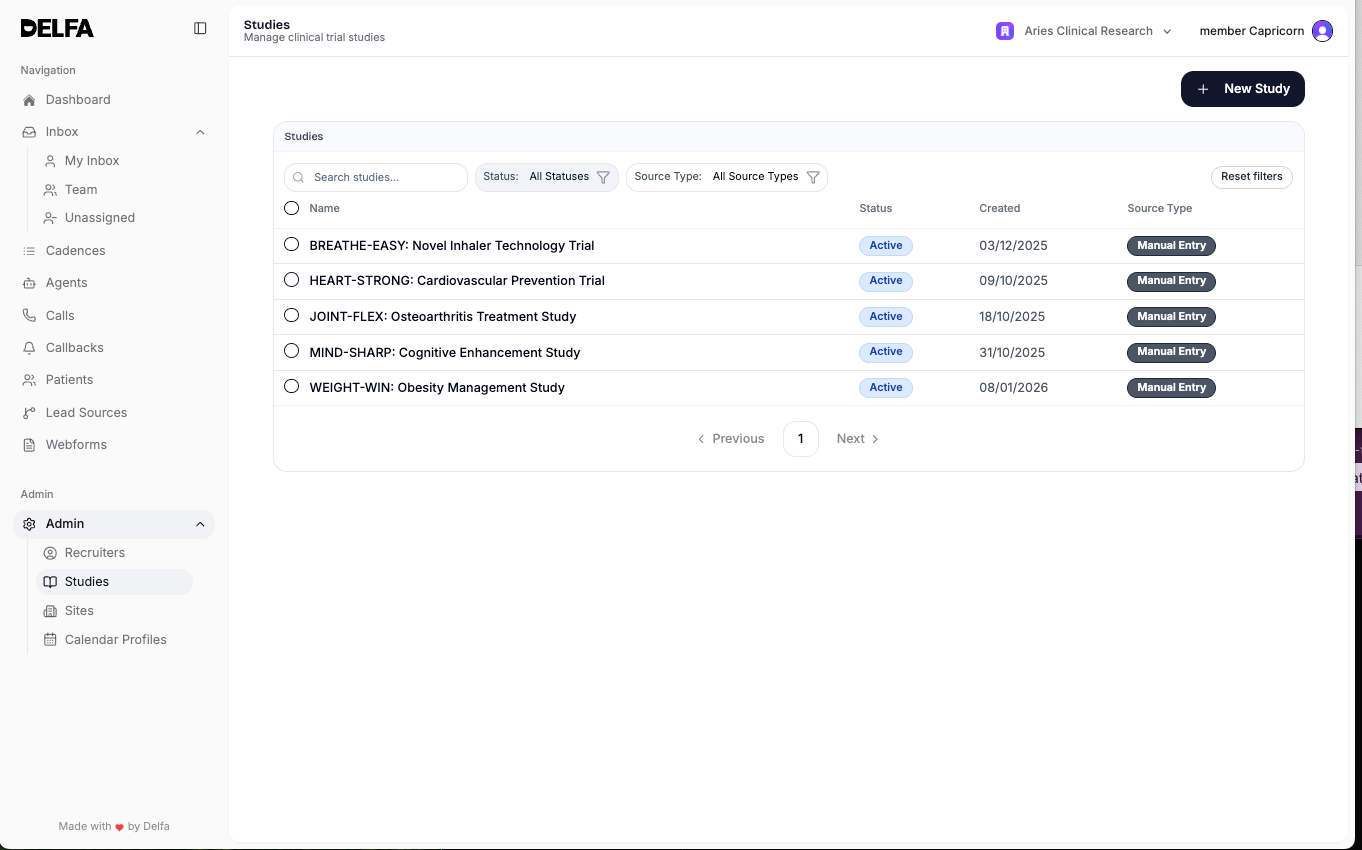
Creating a Study
1. Open Studies from the sidebar.
2. Select Create Study.
3. Complete the Basic Info, Screening Criteria, and Eligibility Questionnaire tabs, then select Create Study. When you edit an existing study, select Save Changes.
Editing studies requires the lead recruiter role.
Study Information
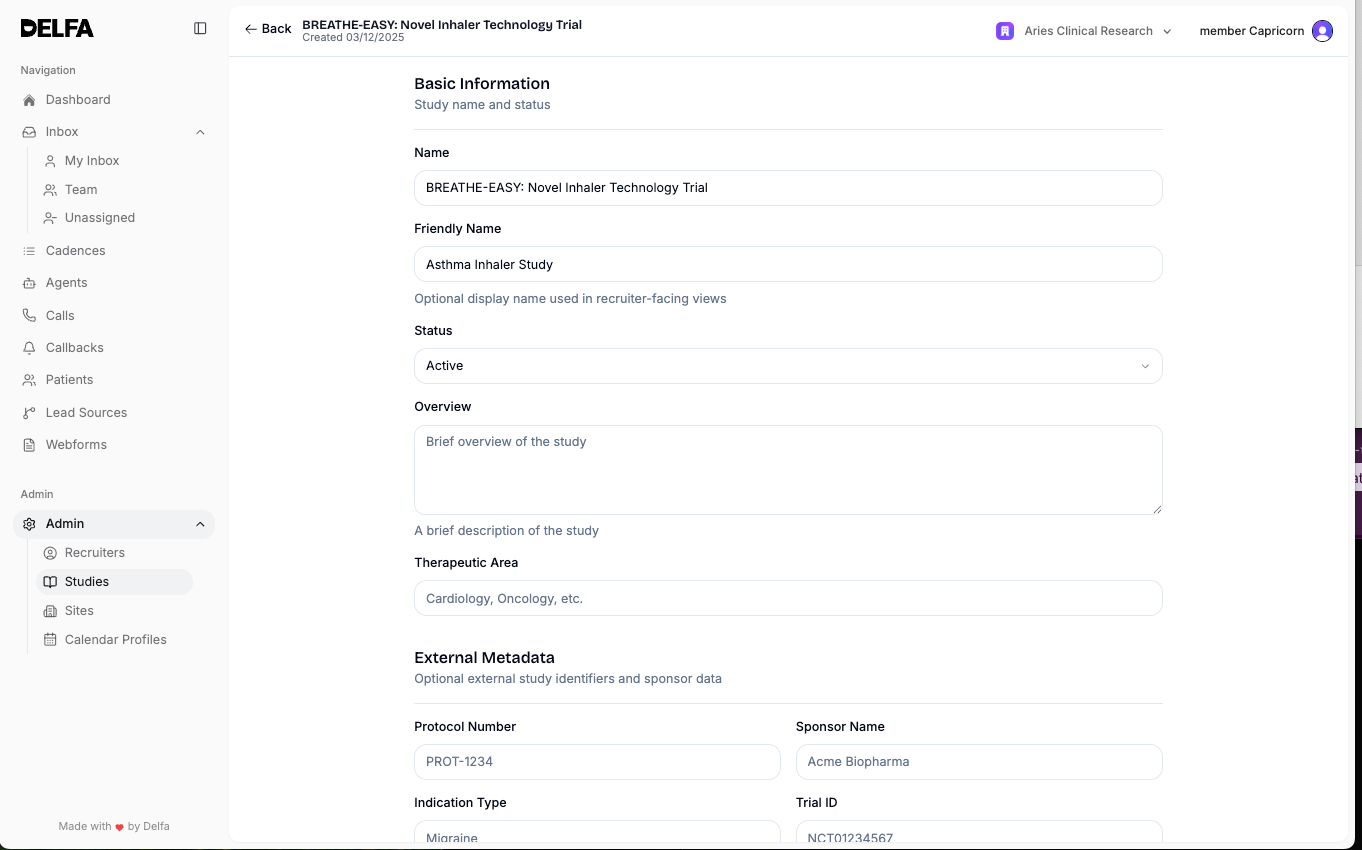
Essential Info
- Study name
- Public name
- Status
- Overview
Protocol Details
- Protocol number
- Sponsor name
- Therapeutic area
- Indication
- ClinicalTrials.gov ID
Patient-Facing Content
- Appointment instructions
- Study length
- Visits per patient
- Patient compensation
Enrollment Targets
- Enrollment target
- Revenue per enrollment
Screening Criteria
- Call Outcome
- Appointment Length (Hours)
- FAQs
- Eligibility Criteria
- Study Window Criteria
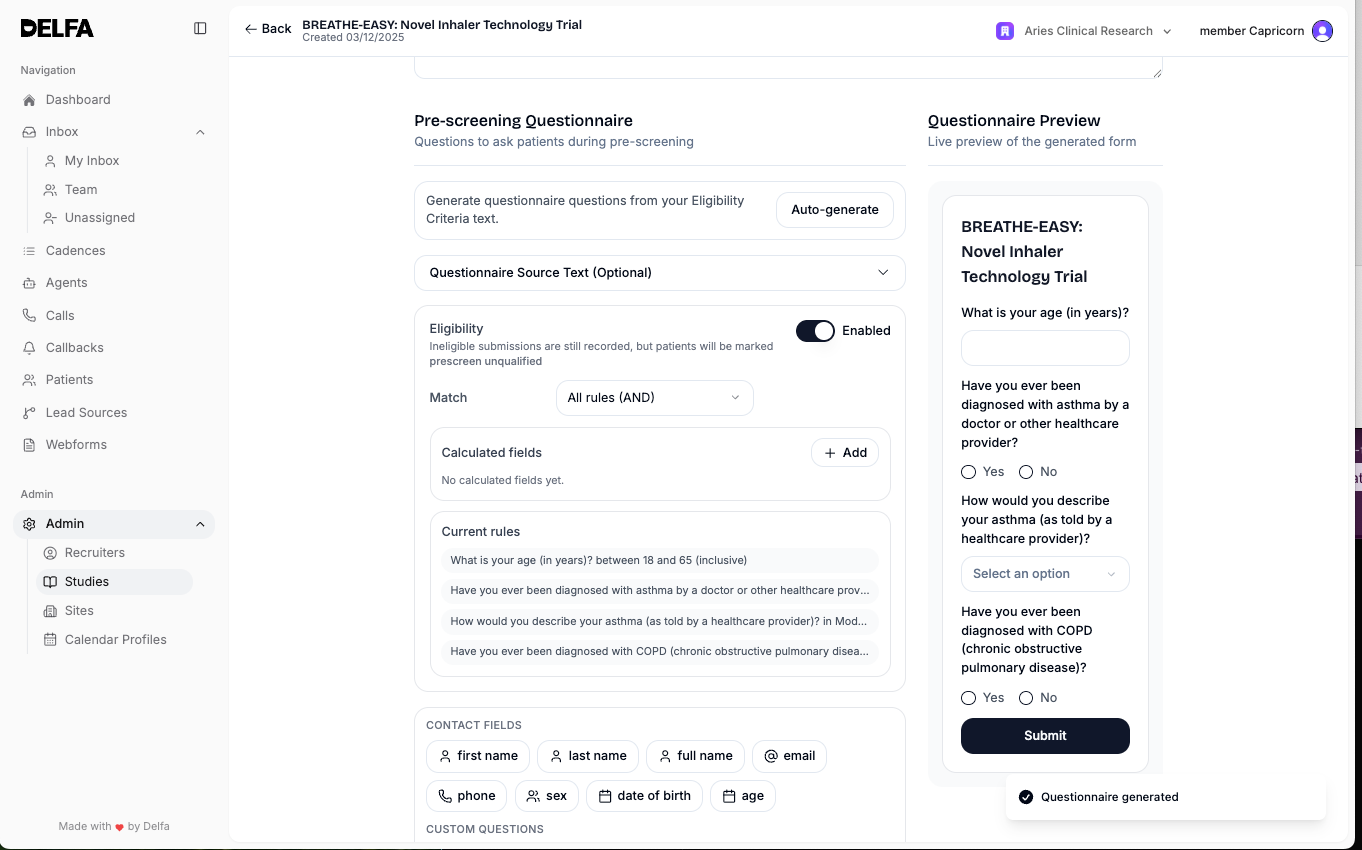
Eligibility Questionnaire
- Add questionnaire fields manually or use the auto-generate option from the eligibility criteria or source text.
- Review generated questions before saving.
- Update eligibility rules so the questionnaire reflects the actual study criteria.
- Use the questionnaire preview to confirm how the form will appear.
Study Maintenance
- Use the Studies page to review each study's status, sites, questionnaire, readiness, and source (CTMS or Manual).
- Update status when a study moves between Startup, Active, Paused, Completed, or Canceled.
- Select studies and use Set Status to change several at once. Use bulk status changes only after confirming the selected studies are correct.
- If the same study exists twice, select both and use Merge Studies.
Site Setup
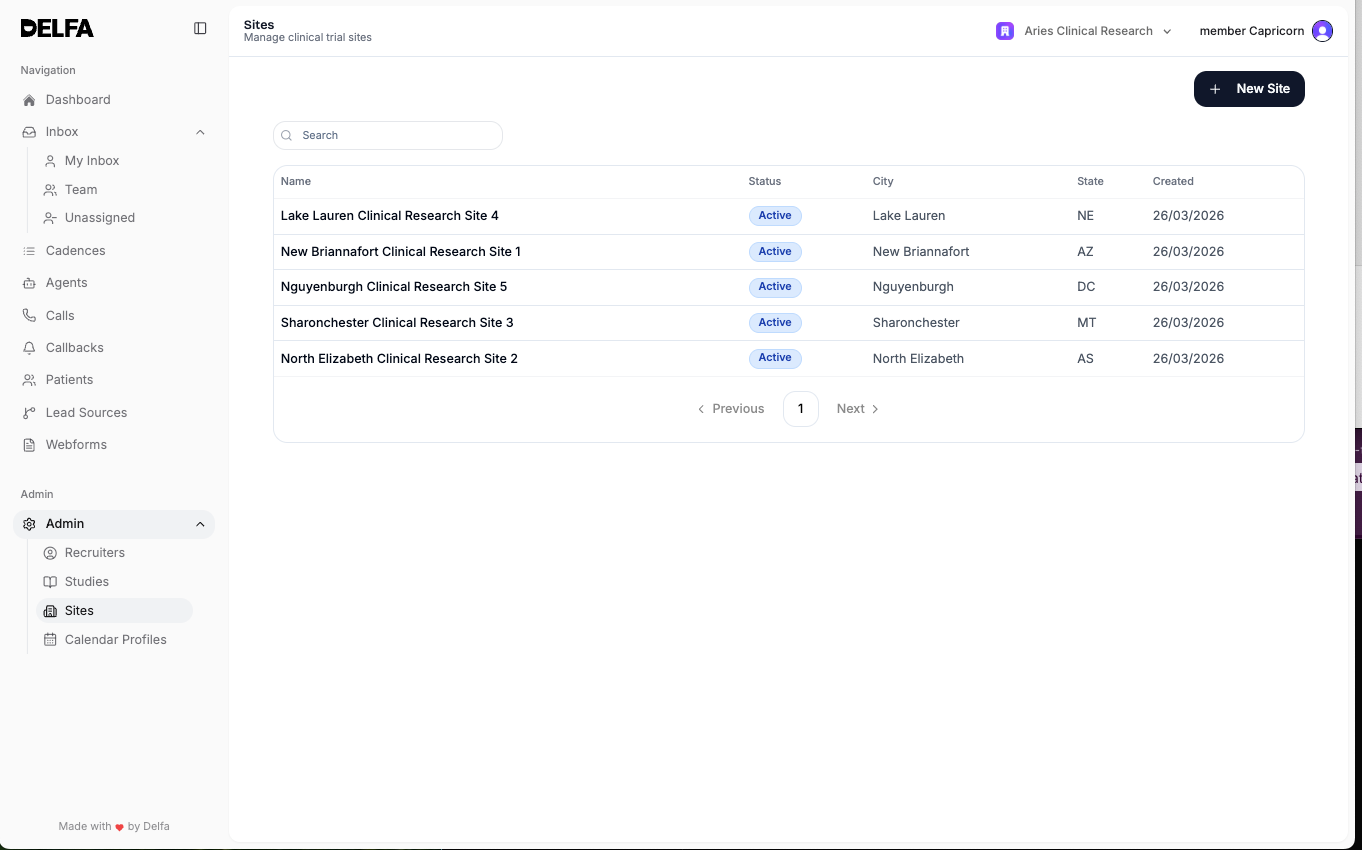
Creating and Editing a Site
1. Open Sites from the sidebar. Sites is available to lead recruiters.
2. Select Create Site or open an existing site.
3. Complete the site information and save changes.
Site Information
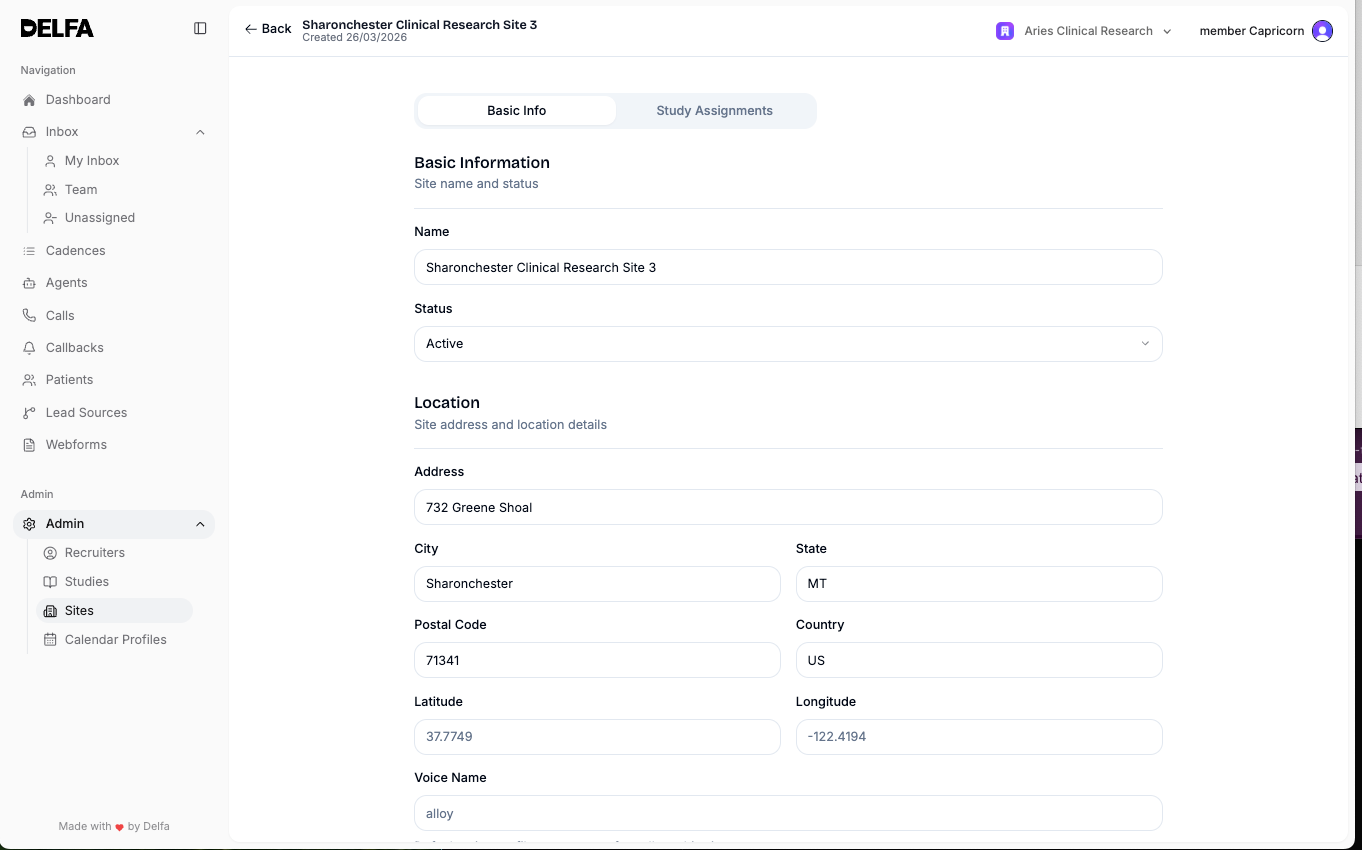
Basic Information
- Site name
- Status
- Network
Location
- Address
- City
- State
- Postal code
- Country
- Latitude and longitude if needed
Delfa matches patients to nearby sites by postcode in supported countries, including the United States, the United Kingdom, Germany, and most of Europe. If you choose a country where automatic matching is not available, a warning shows that patients won't be matched to this site based on their postcode.
Operational Settings
- Voice name
- Timezone
- Site Phone Numbers
- Human PRM Numbers
- Agent Numbers
- Inbound Transfer Number
Business hours are not set on the site. Set availability in each coordinator's calendar profile under Calendar > Profiles.
CTMS Integration
- Realtime instance name and Realtime site ID
- CRIO instance name and CRIO site ID
- Clinical Conductor site ID
- Patient URL
Notes
- Add site notes when administrators or recruiters need extra operational context.
Study Assignments for a Site
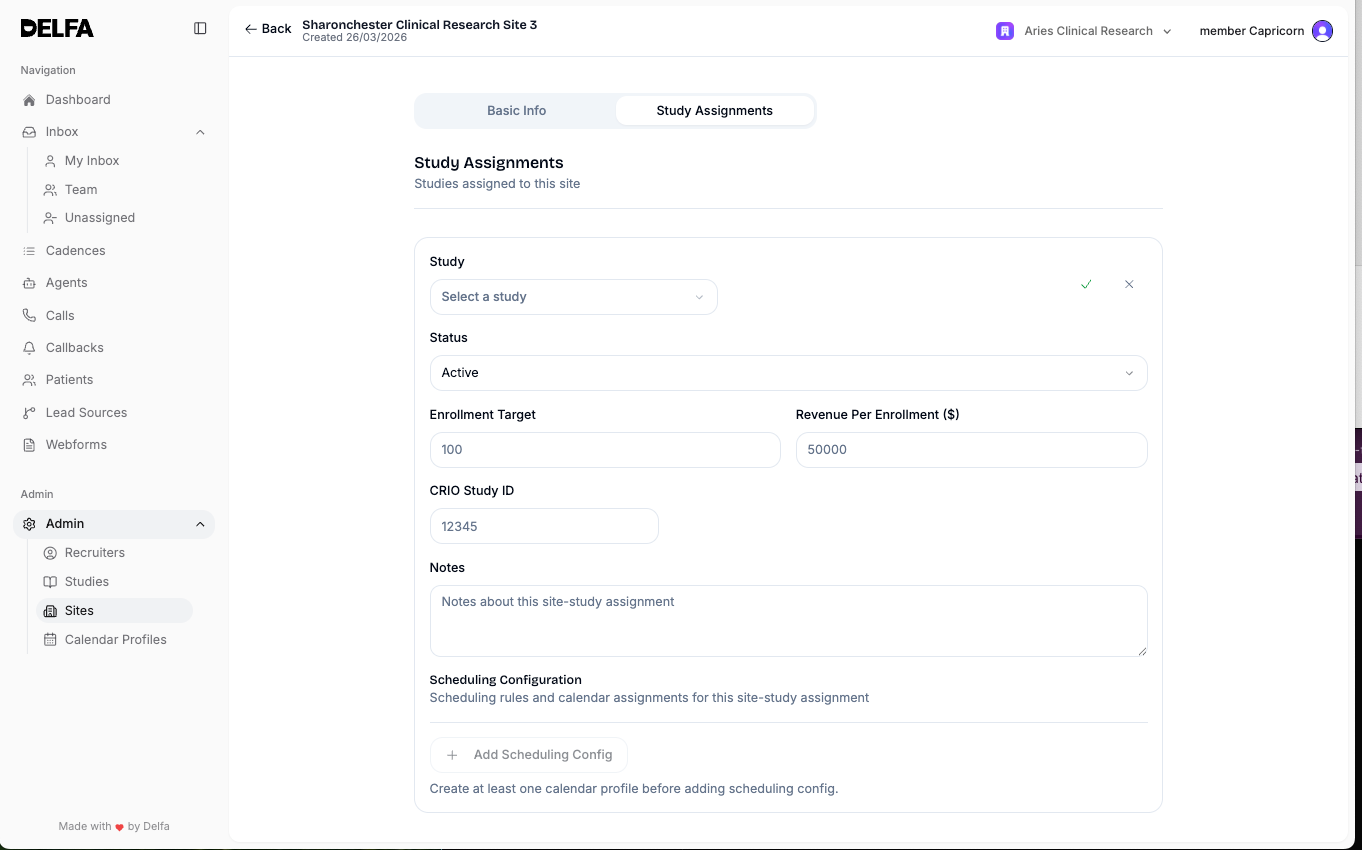
- Open the Site detail page and navigate to Study Assignments.
- Assign the correct studies to the site so incoming leads and recruiter workflows route correctly.
- For each study, set the status (Active, Upcoming, Paused, Completed, or Canceled), enrollment target, CTMS study IDs, calendar profile assignments, scheduling configuration, and maximum overlapping appointments.
- Review site-study assignments after any major study status or site configuration change.
When to Update Site or Study Setup
- When a new study launches.
- When a study pauses, completes, or changes operationally.
- When a site opens, closes, or changes phone numbers or CTMS identifiers.
- When eligibility criteria or the pre-screening questionnaire changes.
Best Practices
- Set up studies before connecting lead sources, cadences, or webforms that depend on them.
- Keep study status current so recruiters are not assigning patients to outdated studies.
- Keep site timezone, phone numbers, and calendar profile availability accurate so scheduling and outreach work correctly.
- Review questionnaire and eligibility configuration after any protocol or study update.
- Confirm site-study assignments whenever new studies are added or site availability changes.